
Featured

Wildcard Index in MongoDB 4.2

In this blog we can see about Wildcard Index which is introduced in MongoDB 4.2 version.

MongoDB 4.2 introduced Wildcard Indexes for supporting queries unknown or arbitrary fields. 

  • Wildcard Index filter that can automatically match any fields,sub documents or an array in a collection.
  • Wildcard Index supports most of all queries. It will reduce execution time and index size then automatically in our performance is good.

Experimental scenario :-

I have made one sample collection called University with sub-document.

> db.university.find().pretty()
{
"_id" : ObjectId("5d4fabda42f49077f8246bb2"),
"College_name" : "Annauniversity",
"Description" : {
"Department" : [
"Electronics",
"Electrical",
"Mechanical",
"Computer Science"
],
"Member_details" : {
"Total_members" : 572,
"Classes" : "14"
}
}
}

In university collection we have a Description field which contains a variable selection of other fields and values.

Now we want to find the classes which have a value of 12 in the Description field.

Simple find query :-

> db.university.find( { "Description.Member_details.Classes": 12 } )

Please find explain plan of the above mentioned query 

 > db.university.find( { "Description.Member_details.Classes": 12 } ).explain()
{
"queryPlanner" : {
"plannerVersion" : 1,
"namespace" : "mydb.university",
"indexFilterSet" : false,
"parsedQuery" : {
"Description.Member_details.Classes" : {
"$eq" : 12
}
},
"winningPlan" : {
"stage" : "COLLSCAN",
"filter" : {
"Description.Member_details.Classes" : {
"$eq" : 12
}
},
"direction" : "forward"
},
"rejectedPlans" : [ ]
},

Here that query is not using any index ,If we create Wildcard Index on Description field then query will use the index.

This is the command to create the Wildcard Index of Description field.

> db.university.createIndex( { "Description.$**" : 1 } );
{
"createdCollectionAutomatically" : false,
"numIndexesBefore" : 1,
"numIndexesAfter" : 2,
"ok" : 1
}

Now I have created Wildcard Index on Description field please find explain plan of after Index creation.

> db.university.find( { "Description.Member_details.Classes": 12 } ).explain()
{
"queryPlanner" : {
"plannerVersion" : 1,
"namespace" : "mydb.university",
"indexFilterSet" : false,
"parsedQuery" : {
"Description.Member_details.Classes" : {
"$eq" : 12
}
},
"queryHash" : "EFFDC2E6",
"planCacheKey" : "6855A0B2",
"winningPlan" : {
"stage" : "FETCH",
"inputStage" : {
  "stage" : "IXSCAN",
"keyPattern" : {
"$_path" : 1,
"Description.Member_details.Classes" : 1
},
"indexName" : "Description.$**_1",
"isMultiKey" : false,
"multiKeyPaths" : {
"$_path" : [ ],
"Description.Member_details.Classes" : [ ]
},
"isUnique" : false,
"isSparse" : false,
"isPartial" : false,
"indexVersion" : 2,
"direction" : "forward",
"indexBounds" : {
"$_path" : [
"[\"Description.Member_details.Classes\", \"Description.Member_details.Classes\"]"
],
"Description.Member_details.Classes" : [
"[12.0, 12.0]"
]
}
}
},
"rejectedPlans" : [ ]
},

Note :- Here I have explained about very simple example.

Conclusion :-

I hope this blogs will help you to how Wildcard Index is creating ,access the query and reduce the query access time.

For more details please find link Wildcard Index MongoDB 4.2
MongoDB replica set Member states

In MongoDB each member of a replica set has a state so in this blog we can see about replica set member states & its explanation.

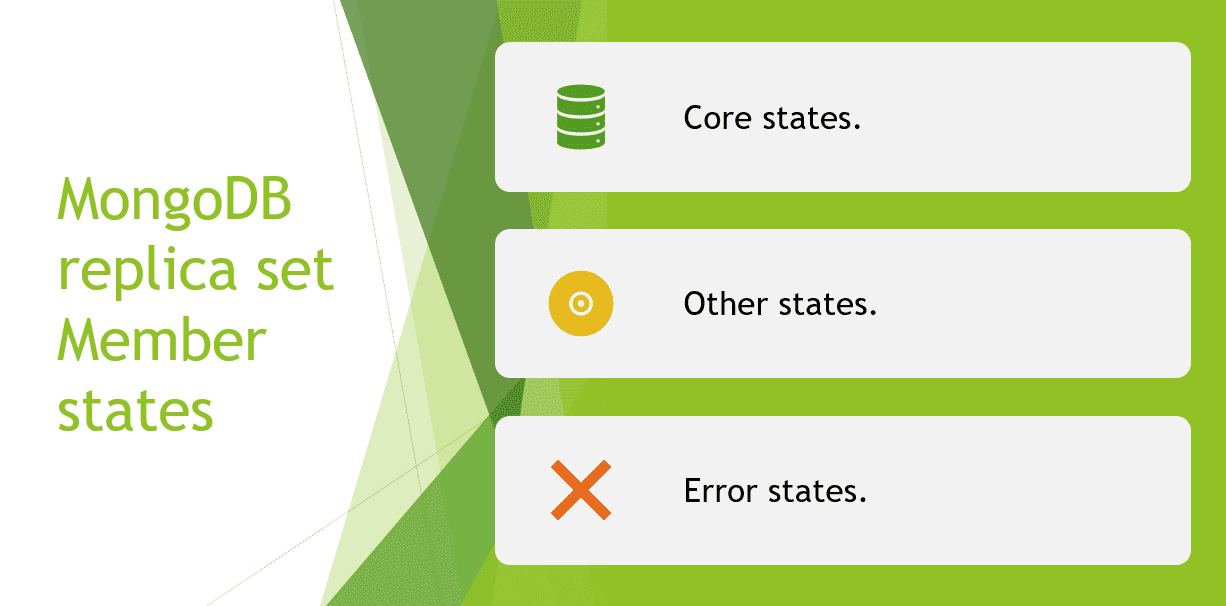
MongoDB replica set has three types of states.

  • Core states.
  • Other states.
  • Error states.

Core states :

In Core states has three members and all are eligible to vote in election.

  • PRIMARY.
  • SECONDARY.
  • ARBITER.

PRIMARY –

  • PRIMARY is the only member that can accept write operations.
  • A replica set has at most one primary at a time.

SECONDARY –

  • SECONDARY state replicate the primary’s data set & can be configured to accept read operations.
  • It may be elected to the PRIMARY state if the primary becomes unavailable.

ARBITER –

  • ARBITER state do not replicate data or accept write operations.
  • Replica sets should only have a member in the ARBITER state and exist solely participate in elections.

Other states :

In Other states has four members and all are eligible to vote in election expect STARTUP.

  • STARTUP.
  • STARTUP2.
  • RECOVERING.
  • ROLLBACK.

STARTUP –

  • Each member of a replica set start up in STARTUP state.
  • They are not yet a recognized member of any replica state.

STARTUP2 –

  • It has joined the set and is running an initial sync.

RECOVERING –

  • Either it perform startup self-checks or transition from completing a rollback or resync.
  • Data is not available for reads.

ROLLBACK –

  • The member is actively performing a rollback.

Error states :

In Error states has three members & all are not eligible to vote in election.

  • UNKNOWN.
  • DOWN.
  • REMOVED.

UNKNOWN –

  • Members that have never communicated status information to the replica set.

DOWN –

  • Members that lose their connection to the replica set & it’s an unreachable mode.

REMOVED –

  • Members that are removed from the replica set.

I hope this blog will help you find out MongoDB replica set member states.

Thank you !!

MongoDB v4.2 Update Operators – Part II

Already we have seen that the Field Update Operators in previous blog.

In this blog we can seen about Array and Bitwise Operators and it’s explanation.

Array Update Operators :

1.) $ :

To update the first element that matches the query condition.

Syntax :

{ "<array.$>" : value }

Explanation :

  • The Array field must appear as part of the query document.

2.) $ [ ] :

To update all elements in an array for the document that matches the query condition.

Syntax :

{ < update operator > : { "<array>.$[]" : value } } 

Explanation :

  • The query must include an exact equality match on the array field in order to use the $[ ] positional operator in the update statement.

3.) $ [ <identifier> ] :

To update all elements that match the array filter condition for the document that matches the query condition.

Syntax :

{ < update operator > : { " <array>.$[ identifier ] " : value } } , { arrayFilters : [ { <identifier> : <condition> } ] }

Explanation :

  • The <identifier> must begin with lowercase letter and contain only alphanumeric characters.

4.) $addToSet :

Adds elements to an array only if they don’t already exist in the set.

Syntax :

{ $addToSet : { <field1> : <value> , ..} }

Explanation :

  • $addToSet only ensures that there are no duplicates items added to the set and does not affect existing duplicate elements.
  • $addToSet does not guarantee a particular ordering of elements in the modified set.

5.) $pop :

Removes the first or last item of an array.

Syntax :

{ $pop : { <field> : < -1 | 1 > , ...} }

Explanation :

  • The $pop operation fails if the <field> is not an array.
  • If the $pop operator removes the last item in the <field>, the <field> will then hold an empty array.

6.) $pull :

Removes all elements that match a specified query.

Syntax :

{ $pull : { <field1> : < value | condition > , <field2> : < value | condition > , ... } }

Explanation :

  • If the specified <value> to remove is an array, $pull removes only the elements in the array that match the specified <value> exactly,including order.
  • If the specified <value> to remove is a document, $pull removes only the elements in the array that have the exact same fields and values, the ordering of the field can differ.

7.) $push :

Adds an item to an array.

Syntax :

{ $push : { <field> : <value> , ... } } 

Explanation :

  • The $push operator appends a specified value to an array.
  • If the field is absent in the document to update, $push adds the array field with the value as its element.
  • If the field is not an array, the operation will fail.

8.) $pullAll :

Removes all matching values from an array.

Syntax :

{ $pullAll : { <field1> : [ <value1> , <value2> , ... ] , ... } }

Explanation :

  • If a <value> to remove is a document or an array, $pullAll removes only the elements in the array that match the specified <value> exactly,including order.

9.) $each :

Modifies the $push and $addToSet operators to append multiple items for array updates.

Syntax :

{ $addToSet : { <field> : { $each : [ <value1> , <value2> ... ] } } }
{ $push : { <field> : { $each : [ <value1> , <value2> ... ] } } }

Explanation :

  • Use with the $addToSet operator to add multiple values to an array <field> if the values do not exist in the <field>.
  • Use with the $push operator to append multiple values to an array <field>.

10.) $position :

Modified the $push operator to specify the position in the array to add elements.

Syntax :

{ $push : { <field> : { $each : [ <value1> , <value2> , ... ] , $position : <num> } } }

Explanation :

  • The $position modifier specifies the location in the array at which the $push operator inserts elements.
  • Without the $position modifier, the $push operator inserts elements to the end of the array.

11.) $slice :

Modifies the $push operator to limit the size of updated arrays.

Syntax :

{ $push : { <field> : { $each : [ <value1> , <value2> , ... ] , $slice : <num> } } }

Explanation :

  • Use the $slice modifier, it must appear with the $each modifier, we can pass an empty array [ ] to the $each modifier such that only the $slice modifier has an effect.

12.) $sort :

Modifies the $push operator to reorder documents stored in an array.

Syntax :

{ $push :  { <field> : { $each : [ <value1> , <value2> , ... ] , $sort : <sort specification> } } } 

Explanation :

  • The $sort modifier orders the elements of an array during a $push operation.
  • To sort array elements that are not documents, or if the array elements are documents, to sort by the whole documents, specify 1 for ascending or -1 for descending.

Bitwise Update Operator :

1.) $bit :

It performs bitwise AND,OR and XOR updates of integer values.

Syntax :

{ $bit : { <field> : { <and | or | xor > : <int> } } }

Explanation :

  • Only use this operator with integer fields ( either 32-bit integer or 64-bit integer ).
  • The $bit operator performs a bitwise update of a field.

In this blog I have covered remaining update operators.

MongoDB v4.2 Update Operators – Part I

In this blog we can seen what are update operators were present in MongoDB and it’s explanation. 

  • Field Update Operators.
  • Array Update Operators.
  • Bitwise Update Operator. 

Modifier are available for use in update operations eg.

db.collection.update()

db.collection.findAndModfiy()

Field Update Operators :

1. ) $currentDate :

Set the value of a field to the current date.

Syntax :

{ $currentDate : { <field1> : <typeSpecification1>, ...} }

Explanation :

  • If the field does not exist, $currentDate adds the field to a document.

2. ) $inc :

Increment the value of field by specified amount.

Syntax :

{ $inc : { <field1> : <amount1>, <field2> : <amount2>, ... } }

Explanation :

  • It accepts positive and negative values.
  • Use of the $inc operator on a field with a null value will generate an error.
  • $inc is an atomic operation with a single document.

3. ) $min :

Only updates the field if the specified value is less than existing field value.

Syntax :

{ $min : { <field1> : <value1>, ...}  }

Explanation : 
  • For comparisons between value of different types,such as a number and a null.
  • $min uses the BSON comparison order.

4. ) $max :

Only updates the field if the specified value is greater than existing field value.

Syntax :

{ $max : { <field1> : <value1>, ...}  }

Explanation :

  • $max uses the BSON comparison order.
  • If the field doesn’t exist,the $max operator sets the field to the specified value.

5. ) $mul :

Multiplies the value of the field by the specified amount.

Syntax :

{ $mul : { <field1> : <number1>, ...} }

Explanation :

  • If the field does not exist in a document,$mul creates the field and sets the value to zero of the same numeric type as the multiplier.

6. ) $rename :

Renames a field.

Syntax :

{ $rename : { <field1> : <newName1>, ...} }

Explanation :

  • The $rename operator logically performs an $unset both the old name and the new name, and then perform $set operation with the new name i.e) the renamed field may move within the document.
  • If the field to rename does not exist in a document,$rename does nothing i.e) no operation.

7. ) $set :

Sets the value of a field in a document.

Syntax :

{ $set : { <field1> : <value1>, ...} }

Explanation :

  • If the field doesn’t exist,the $set operator will add a new field with the specified value and provided that the new field does not violate a type constraint.
  • If you specify a dotted path for a non-existent field,$set will create the embedded documents as needed to fulfill the dotted path to the field.

8. ) $setOnInsert :

Update results in an insert of a document.

Syntax :

{ $setOnInsert : { <field1>: <value1>, ... } } , { upsert : true }

Explanation :

  • If an update operation with upsert : true results in an insert of a document, then $setOnInsert assigns the specified values to the fields in the document.
  • If the update operation does not result in an insert,$setOnInsert does nothing.

9. ) $unset :

Remove the specified field from a document.

Syntax :

{ $unset : { <field1> : "", ... } }

Explanation :

  • If the field does not exist, then $unset does nothing i.e) no operation.
  • When used with $ to match an array element, then $unset replaces the matching element will null rather than removing the matching element from the array.

In this blog I have covered Field Update Operators, Later we will see remaining Update Operators.

Avoid OOM killer While taking MongoDump

In this blog we can see about how to avoid OOM (Out Of Memory) killer while taking MongoDump, So I have analysed and provided proper solutions.

Explain about MongoDump :-

  • MongoDump tool is part of the MongoDB tools package.
  • It is a utility for creating a binary export of the contents of a database.
  • It can read data from either mongod or mongos instance,in addition or reading directly from MongoDB data files without an active mongod.
  • If you take backup all the databases in a cluster you should have the backup role which provided the required privileges for backing in all databases.

Experimental scenario :-

Mongo running with below mentioned hardware configuration.

CPU : 8

RAM : 15 GB

Data size : 70 GB (compressed)

In Default Wired tiger storage Engine use around 8 GB of total RAM.

At that same time Wired tiger cache use around 6 GB ( That is the size of the currently in the cache)

Overall usage around 14 GB so remaining 1 GB is available.

FYI, Here i have attached PMM graphs screen shot.

If we initiated MongoDump without any option by default it starts with parallel four collection at one time so available memory is not enough to allocate the dump process so it leads to OOM killer.

  • We can use numParallelCollections options to reduce parallel collections.
  • So the memory consumption also reduced.
--numParallelCollections= 1

If we use this option while taking MongoDump, we can avoid OOM killer.

Conclusion :-

I hope this blogs will helps you to avoid OOM killer, so prioritize to use for this option.

Create your own website, free on WordPress.com.Create your own website.
Start free